Connectivity
Fully offline
For hiking, camping, the walk home, and blackouts. Hotaglow turns your phone into an offline SOS beacon of light × sound × radio where there's no signal — an outdoor & disaster app. The screen strobe (full-screen, high-brightness flashing) takes the lead, and the gear you use outdoors doubles as your disaster kit. Zero network calls, zero analytics SDKs, zero ads.

iOS 17+ · Android 8.0+ / Free features included · PRO is a one-time ¥500
Signal disappears first — exactly when you need it most.
Hiking, camping, fishing, caves, boats. Much of the outdoors has no signal. Including safety on the night walk home, you need a tool in your pocket that works off-grid, every day.
Big earthquakes, typhoons, mass blackouts. With base stations down and lines congested, neither calls nor messages get through. "No signal" means you can't call for help.
Outdoors or in a disaster where you can't charge, an app that drains 1% is unusable. So Hotaglow is pure-black screen, monospaced, zero needless effects. Saving power is itself safety.
Hotaglow is your outdoor companion and your "just in case" backup. Relying on neither the cloud nor signal, it is designed to push through off-grid situations using the very limits of the device's hardware — light, speaker, near-field radio. Everyday use is your drill.
The lead feature that flashes the whole screen at high brightness. One tap delivers "I'm here" at maximum light — even at night or far away — in rescue colors (red / amber / white).
The strobe's partner. The rear flash auto-sends the international distress pattern. Even as a support role, one tap launches it anytime — a free, always-available safety feature.
From the home/lock screen (iOS) or Quick Settings tile (Android), launch SOS rescue in one tap without hunting for the app. The shortest path in an emergency stays free, always.
Even with no internet, nearby phones connect directly to relay SOS and presets. When base stations fall, info is bucket-relayed device to device.
Put info on a QR code offline and pass it just by showing your screen. Data transfer with no signal.
Send and receive short text by sound using just the speaker and mic. For messages across distances your voice can't reach, or in noise.
International rescue whistle (3 kHz), group rally tone, security alarm, CPR metronome — sounds used during danger and for rescue are free. (Bear bell, animal deterrent and other preventive sounds that avoid encounters are PRO.)
FREE SOS, strobe, mesh receiving, rescue sounds — features that bear on human life stay free, forever. Taking away a free feature to charge for it is forbidden by our rules.
PRO unlocks everyday tools like the camp lantern, signal flash patterns, any-BPM tone and QR creation, plus the reach to speak in your own words and connect both ways. One-time ¥500, no subscription, yours forever.
Your phone becomes a steady, warm, flicker-free light.
Lights up continuously without flashing the whole screen. Color temperatures from warm white to neutral white plus a few accent colors, with stepped brightness. Gentle for camping, car camping, inside the tent, or a blackout work light. Save a favorite color + brightness as a preset for one-tap recall.
Not SOS — a cue that's yours alone.
Set on-seconds, off-seconds, repeats and color to build and save your own blink pattern. Play it on the screen or rear flash — a cue for separated companions, your own beacon, or formation ID. (The SOS international distress pattern stays free — we won't take it away.)
Not just SOS — send any words as light.
Convert any text into international Morse code and transmit it by blinking the rear flashlight. Get a short cue or a name across a distance with no signal. A built-in Morse reference chart helps the receiver decode it. (The life-safety SOS button stays free and unchanged; PRO only adds the freedom to choose what you send.)
For when presets aren't enough.
"3rd floor, 2 people, one with a broken leg, water and food available" — send the concrete details rescuers need, in your own words, up to 300 bytes.
Receive long info without the wait.
Evacuee rosters, maps and long text are split across several QR codes. With PRO you read multiple in parallel and reassemble at once, instead of one at a time.
Receive, and reply back.
"SOS received" → "Got it, coming from the north. It's flooding there, get to the roof." Don't leave it one-way — coordinate the rescue back and forth.
Not just for disasters. Make the home screen yours.
Switch the home between "Disaster" and "Custom" in one tap. Arrange your favorite features yourself, and use PRO-only tools like QR creation, custom light, any-BPM tone, Morse signaling and marquee.
Prevent bear and animal encounters before they happen.
On the trail or outdoors, sound a bear bell or animal deterrent to prevent encounters — preventive sounds for peacetime, before any danger. Rescue whistle, security alarm, CPR, group rally and other sounds used during danger stay free.
One-time ¥500, no subscription, no ads. The free version's safety features (SOS / strobe / mesh receiving / rescue sounds) stay available. A handy custom-mode tool day to day; extra reach when it counts.
Zero network calls. Your location and messages never leave your device.
No ad SDK, no analytics SDK bundled. We don't track you.
We won't take a life-critical feature away from free to re-sell it back.
No upselling mid-emergency. The paywall is one tap to leave. One-time purchase only.
Receiving over QR, acoustic and mesh normally needs a second device to send, so it's hard to try with just one. So we put real test signals here, made with the same format the app uses. Install the app and you can try receiving right now (signals are bundled locally — no connection needed).
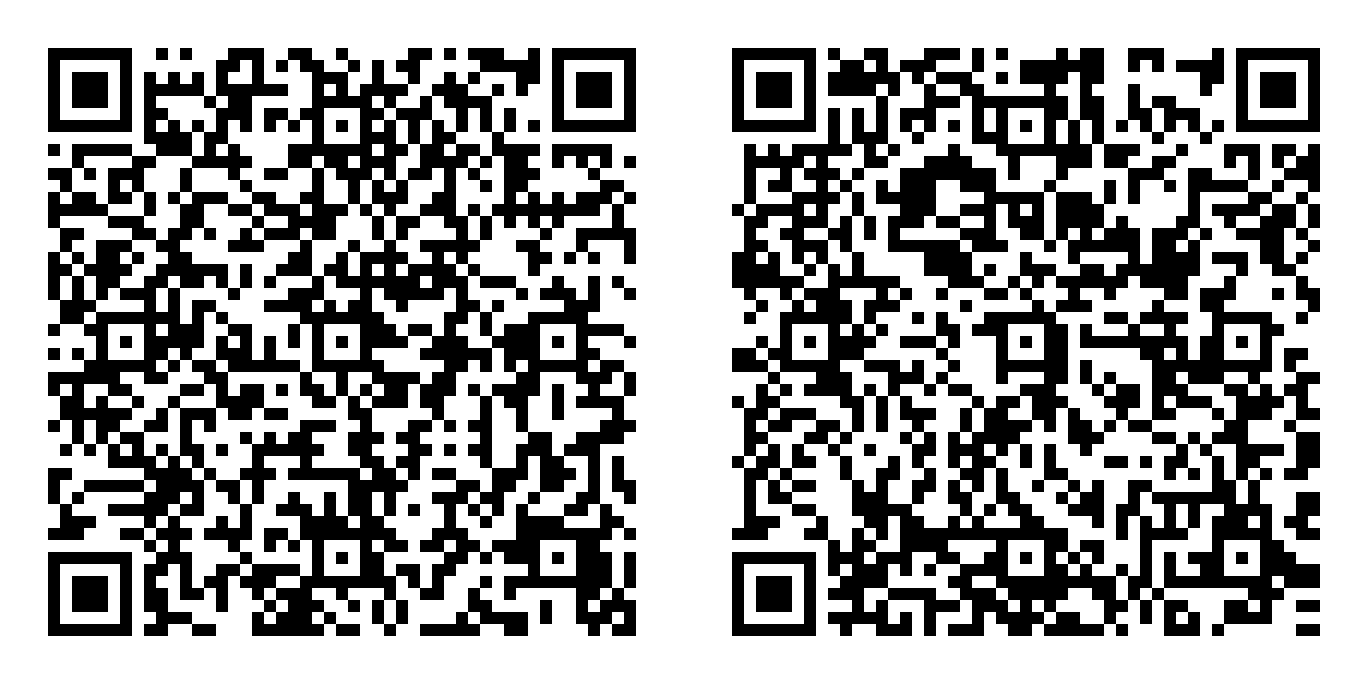
Ordinary website or contact QR codes won't respond — this is the app's own format.
The tone is near-ultrasonic (18–19 kHz). Some speakers, volumes or distances can't carry it. Try a good speaker, full volume, up close.
Mesh is device-to-device near-field radio, so a web page can't send it. It can only be verified with two devices.
In the mountains or the city, even when signal drops, light, sound and near-field radio remain. Make your everyday companion your last line of communication.